
Skip to content
Fast Valueebr2pdf

For Quality and Production at sites running Siemens Opcenter

If Opcenter goes down, production continues on paper

ebr2pdf turns every version of every MBR you export from Opcenter into paper contingency records. PDF for printing and Word for editing, laid out like your paper records, with blank fields for manual entries.

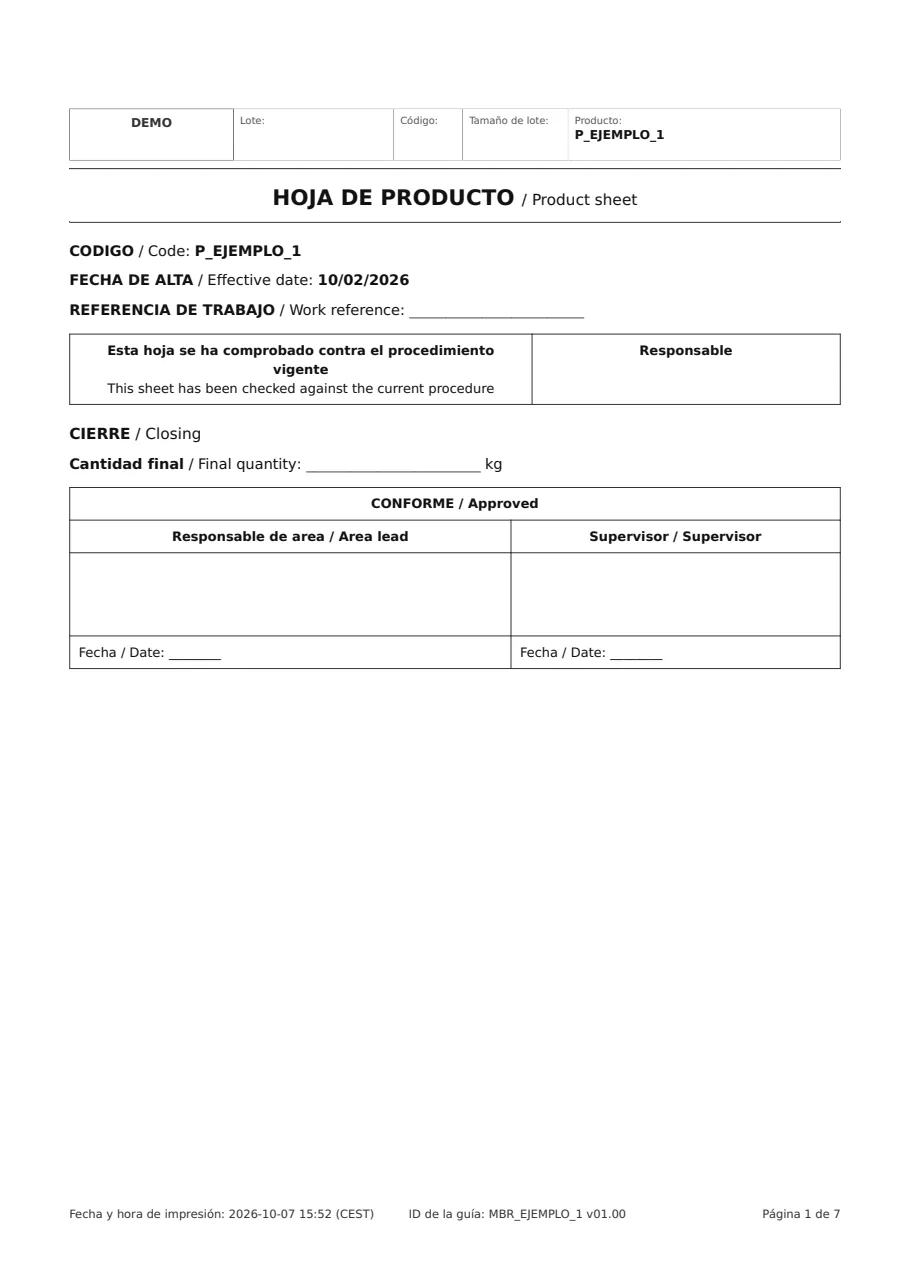
From the MBR to paper

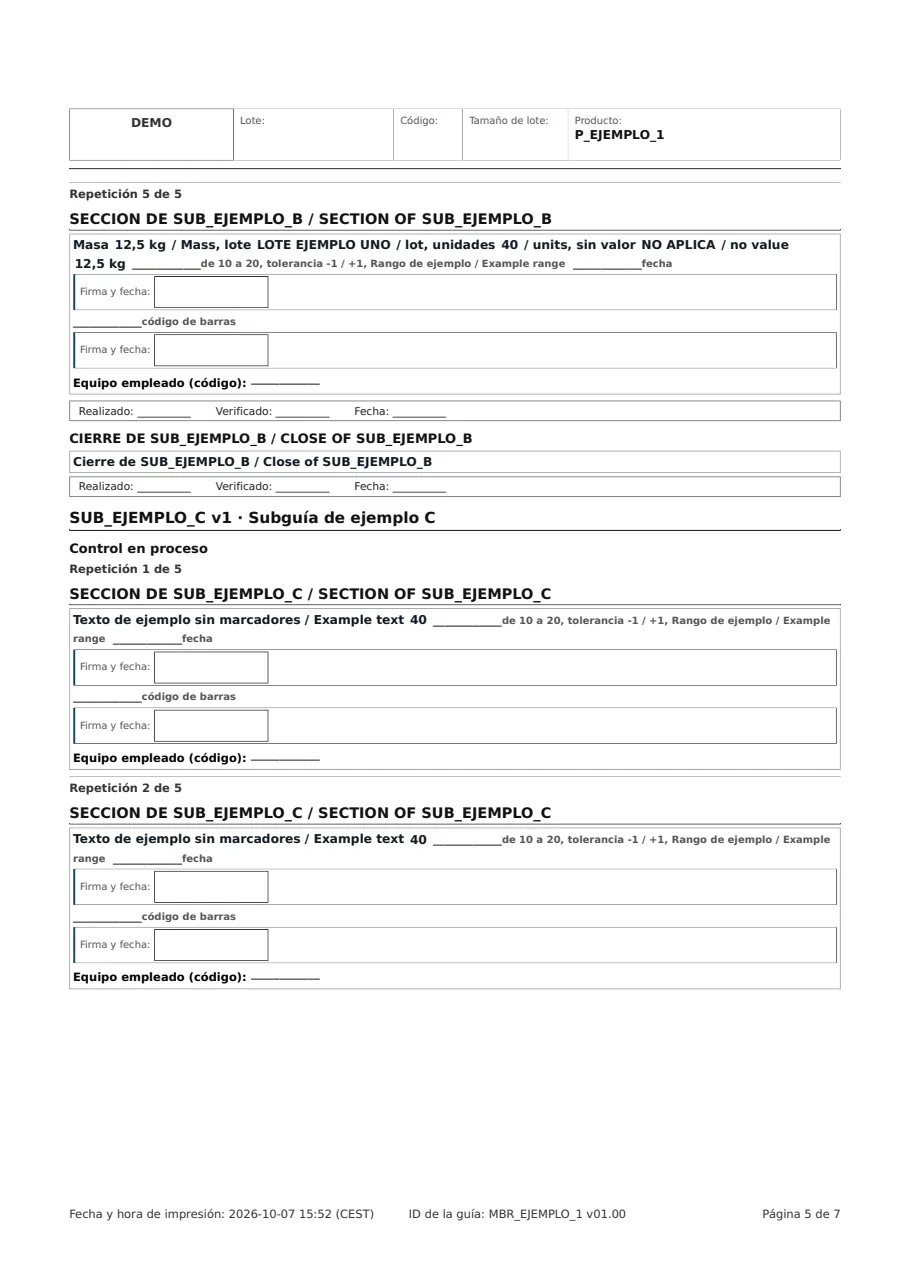
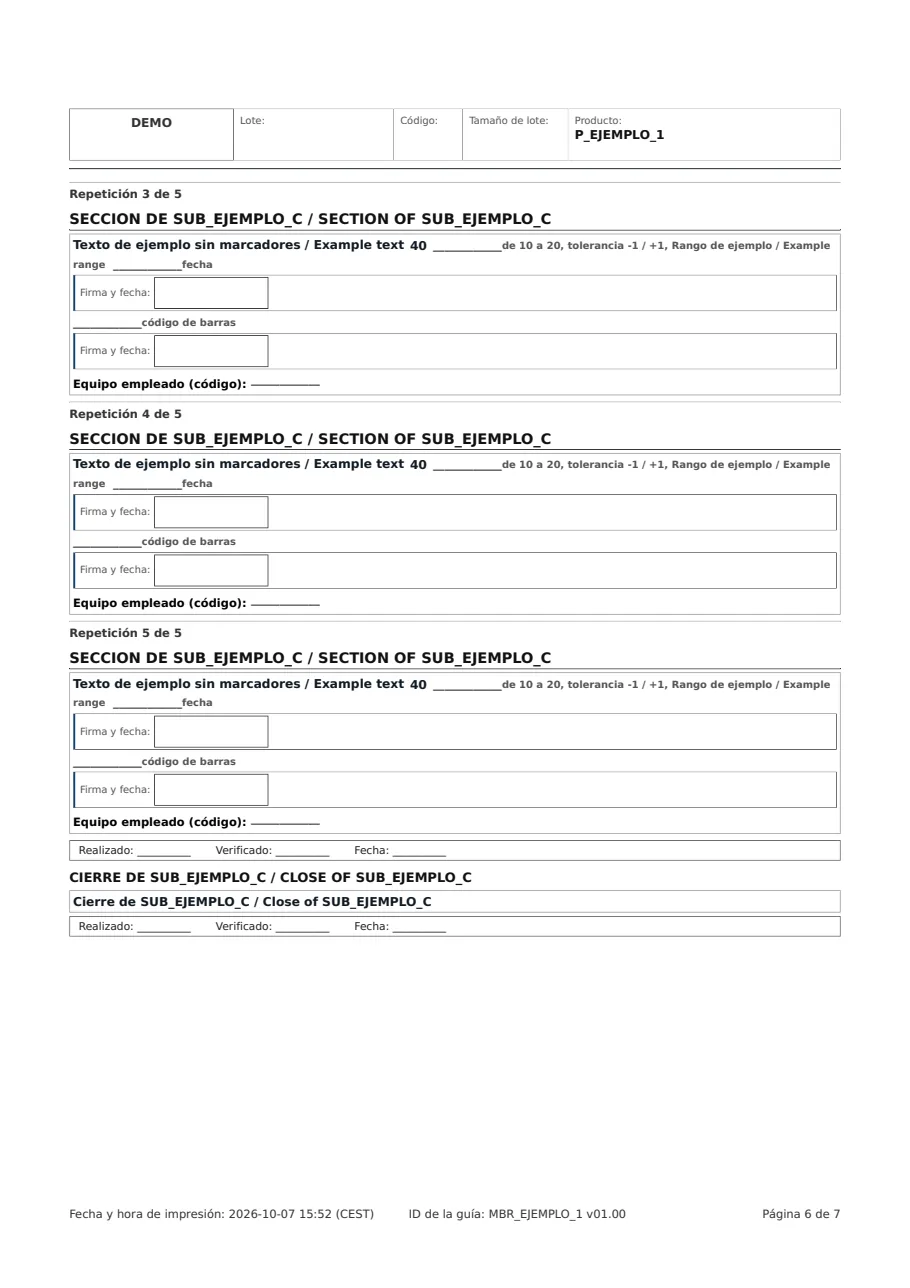
Each page comes from its section of the MBR and carries its blank fields and signatures.

The headings in the MBR index are the ones in the printed record.

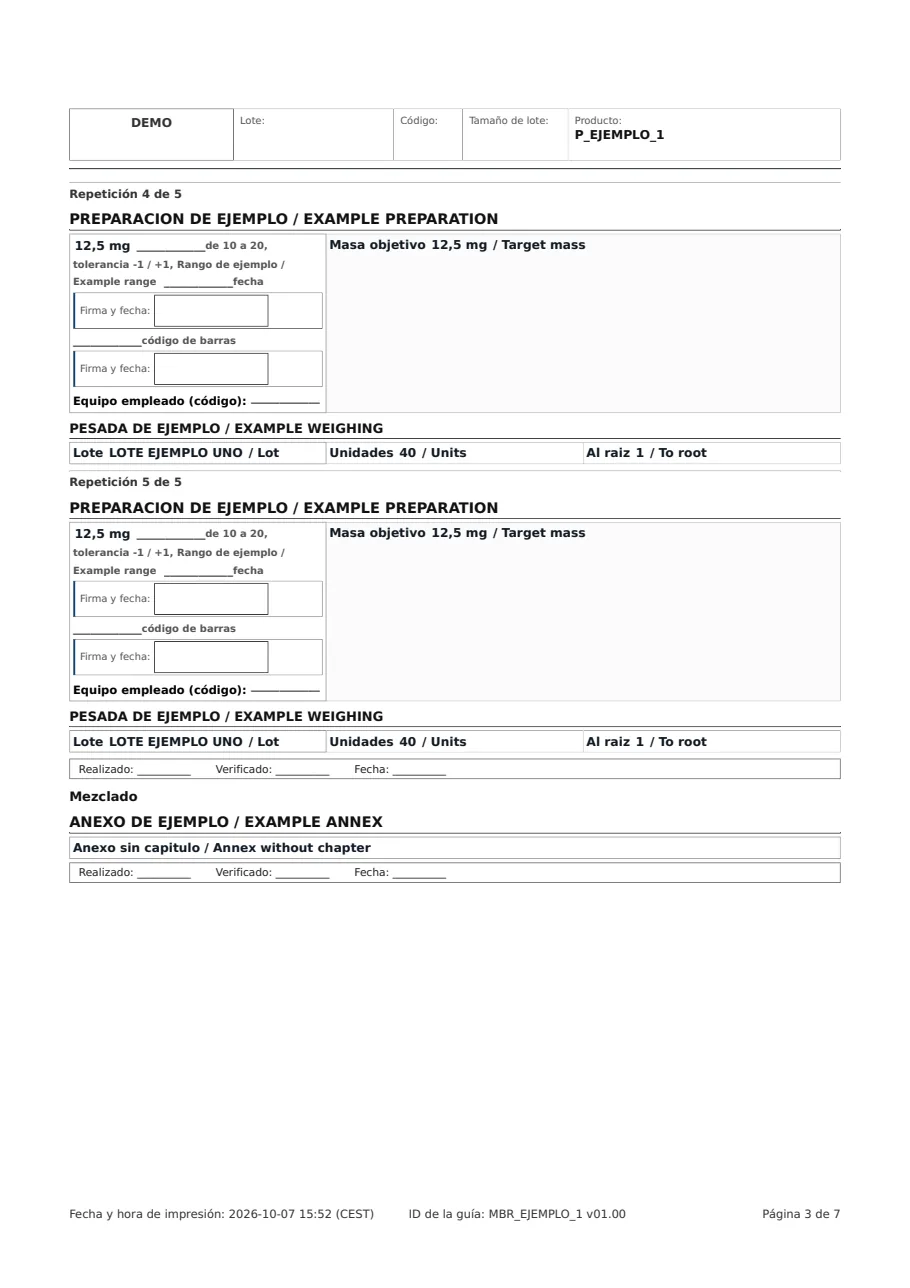
One record per product code

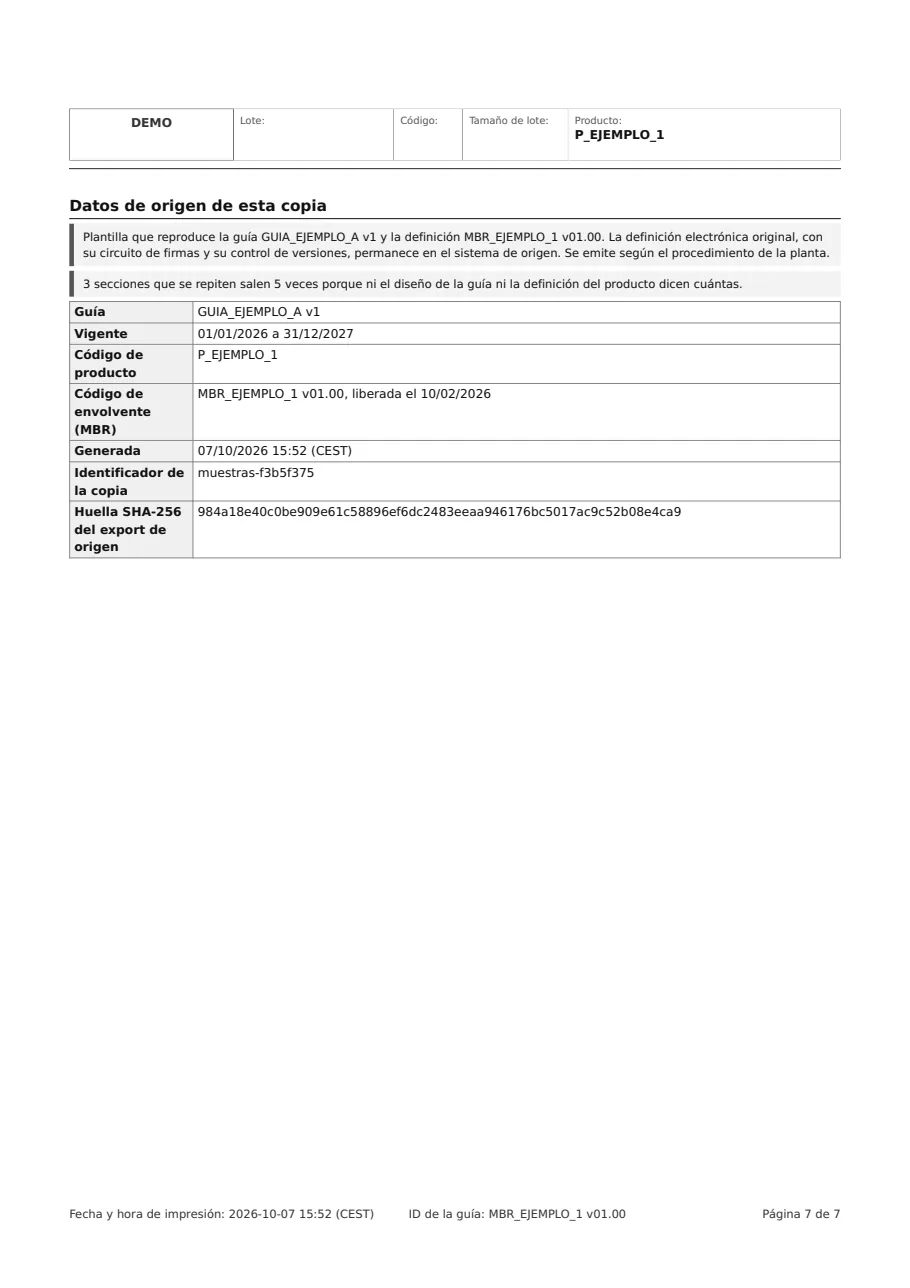
The pages are arranged in the record for each product code.

In Word for editing and printing, and in PDF.

On the shop floor

And the record is ready for the batch to be recorded by hand.

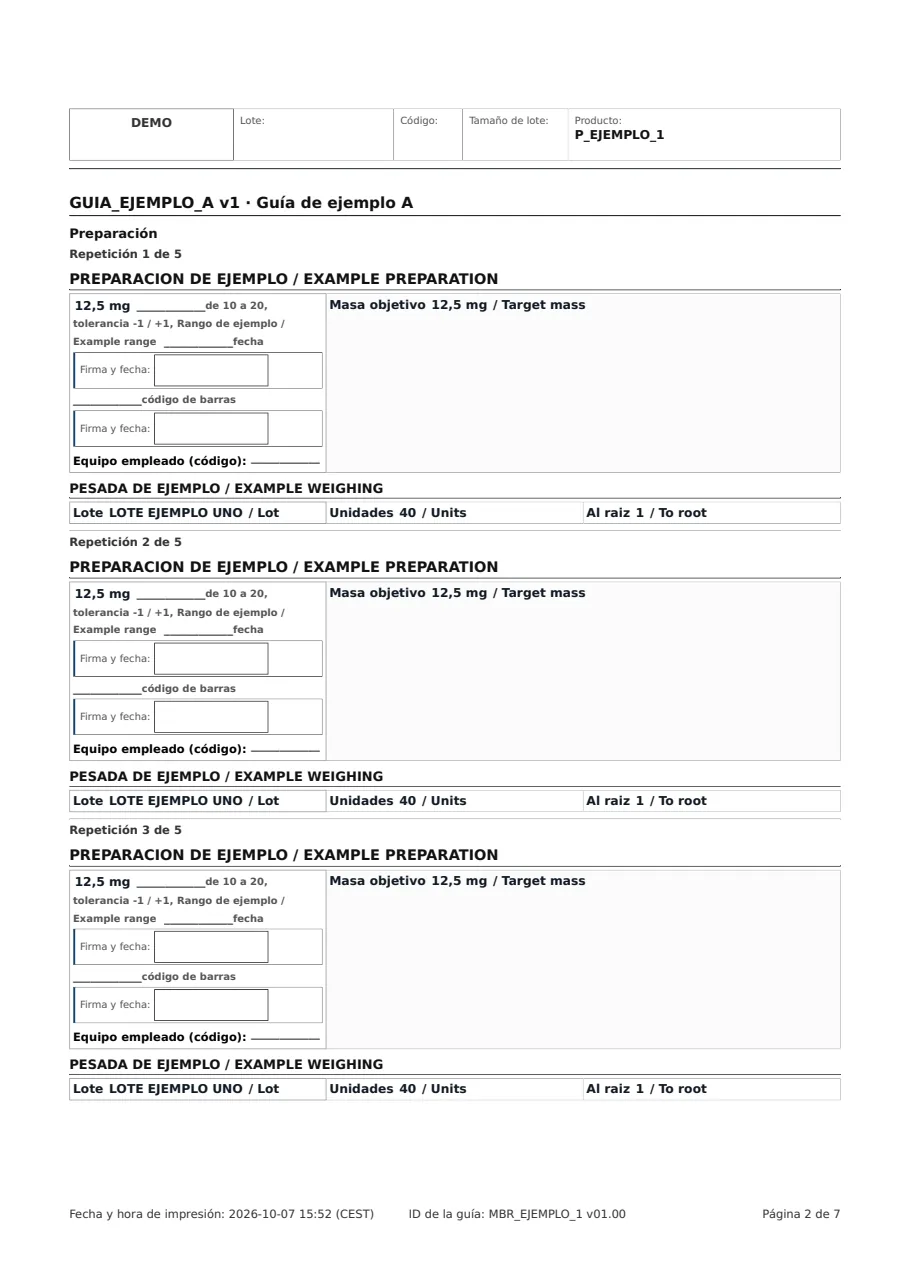
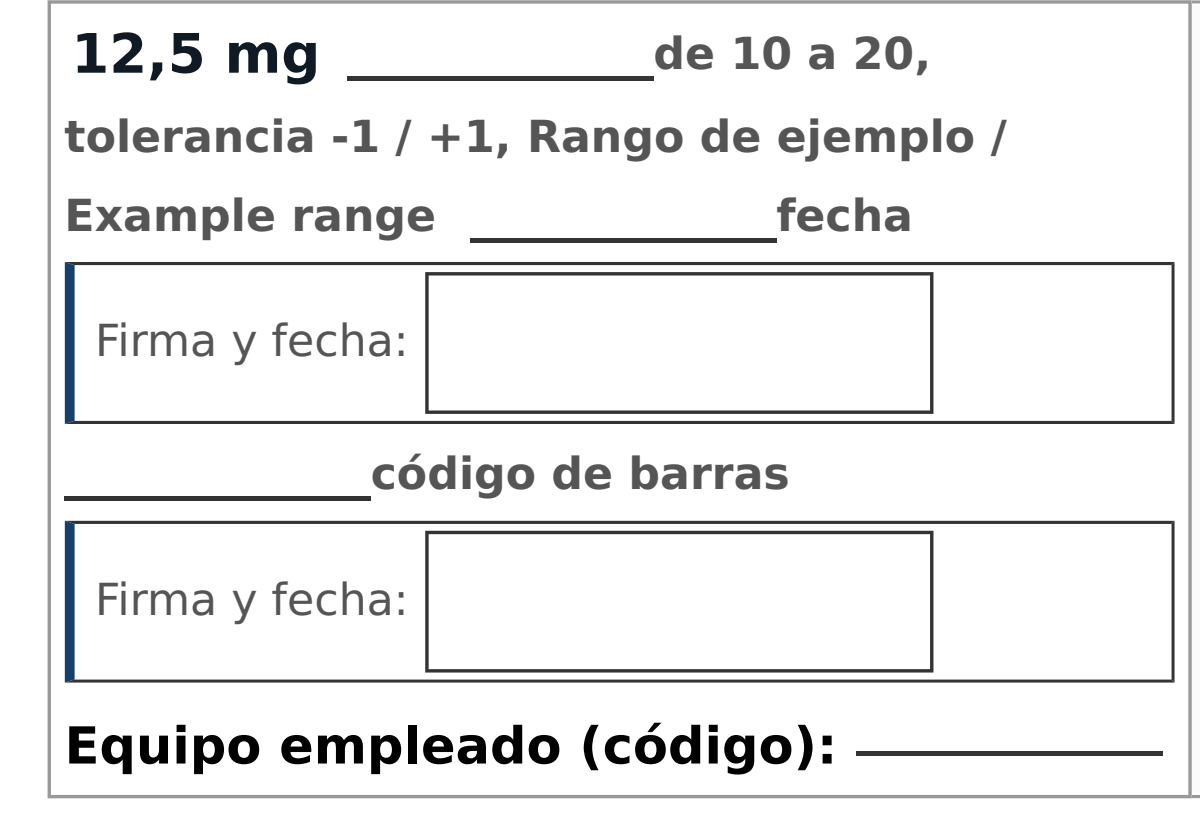
  1. Target value, with its range
  2. Blank field completed by hand
  3. Dated signature
Close-up of an operation: the value 12.5 mg with its range of 10 to 20, blank fields for the date and the barcode, two signature and date boxes, and the line for the equipment used.
Open page 2 in the PDF

What you get

Contingency

Your MBR on paper, for the day the system is down

Each page corresponds to a section of the MBR and carries the blank fields and signatures needed to record the batch by hand.

OpcenterOut of servicePlanned downtime or an outage
PDFYou print the recordThe one for the version you exported
SiteYou record by handValues, blank fields and dated signatures
In step with your exports

Every export you place in the folder generates the records automatically

Nobody lays them out by hand. The template index lists every version your installation has generated and marks the highest version for each product code.

.cabNew exportFrom the Opcenter screen
Your serverInput folderebr2pdf reads it
PDF and WordRecords for that version
CSVTemplate indexEvery version generated

Audit log

Traceable from the export to the PDF

PDFs are produced as PDF/A-4 by default and checked when they are generated, and veraPDF validates the format in every release of ebr2pdf. Each run is logged: which export came in and its hash, which documents were produced, with which version of ebr2pdf and when. You can compare two versions of a record page by page.

InputExportHash of each file
ebr2pdfGenerationebr2pdf version and time
PDF/ADocumentsChecked when generated
TraceabilityLog of each runWhat came in, what came out and when
PDF and WordTechnical appendix for the MBRProcess flow and signature workflows

Designed for GMP environments

Validation package

Comes with the licence and follows GAMP 5: functional specification, risk assessment, IQ and OQ with evidence, and traceability.

  1. Functional specification, requirement by requirement
  2. Configuration specification
  3. Supplier risk assessment
  4. Assessment against Annex 11 and 21 CFR Part 11
  5. Installation qualification (IQ) protocol
  6. Operational qualification (OQ) protocol
  7. Traceability matrix
  8. Release notes with their impact on validation

Inside your network

It is installed on your own server and works without internet access. It reads the export and does not write to Opcenter. Generated documents are viewed in the browser.

Configuration changes

Every configuration change is logged with who made it, when and why.

How it works

RequiredThe family MBROpcenter .cab export
OptionalYour product codesProduct code .cab export
ebr2pdfConversion engine
  1. Reads the export
  2. Matches the MBR with your product codes
  3. Builds each record
  • Record for each product codeThe process with that product's values.PDFWord
  • Record for the family MBRThe common structure, without the values of any one code.PDFWord
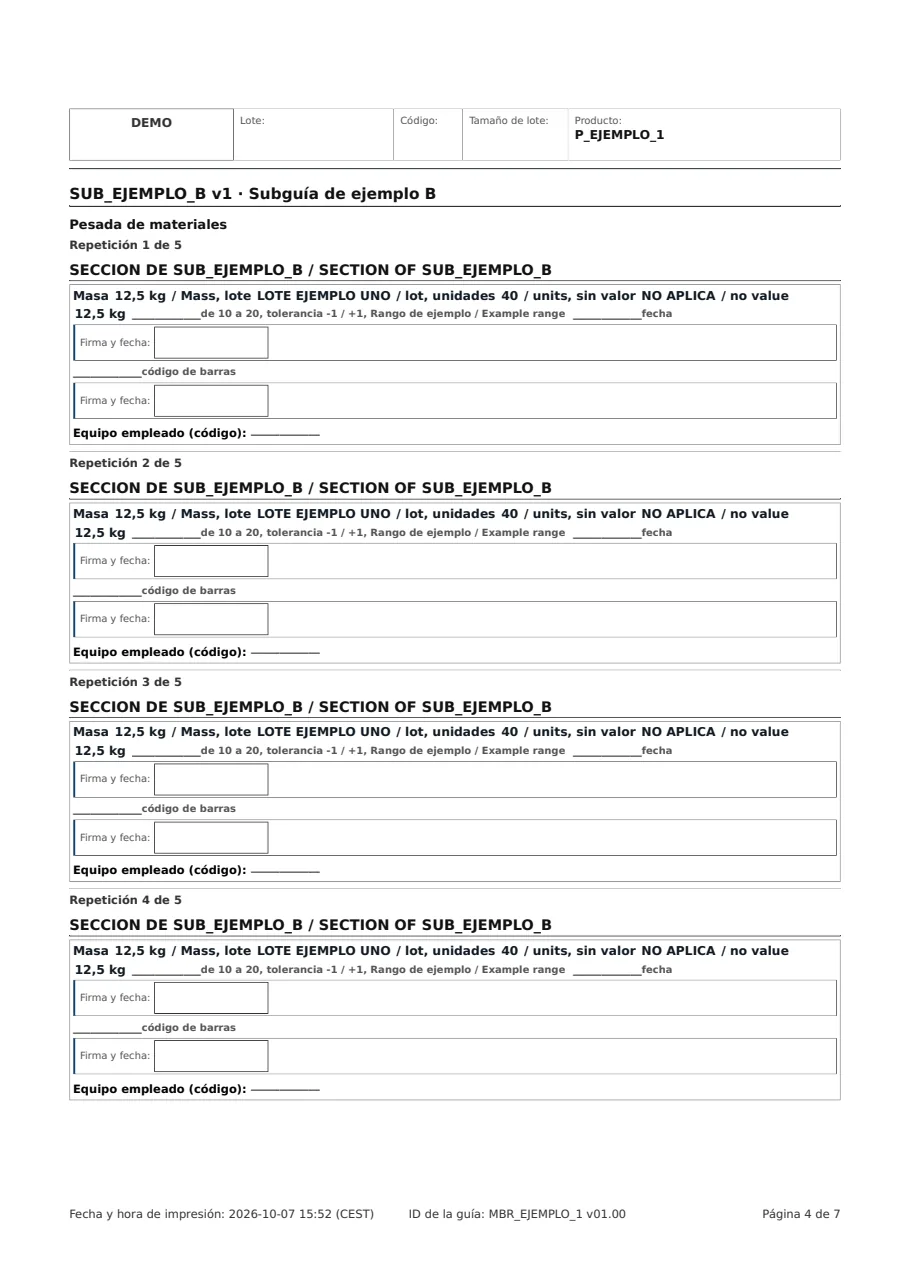
  • Records for the sub-MBRsThe parts of the process that the MBR calls.PDFWord
  • Technical appendix for the MBRThe process flow, the calls and the signatures.PDFWord

The family MBR and your product codes

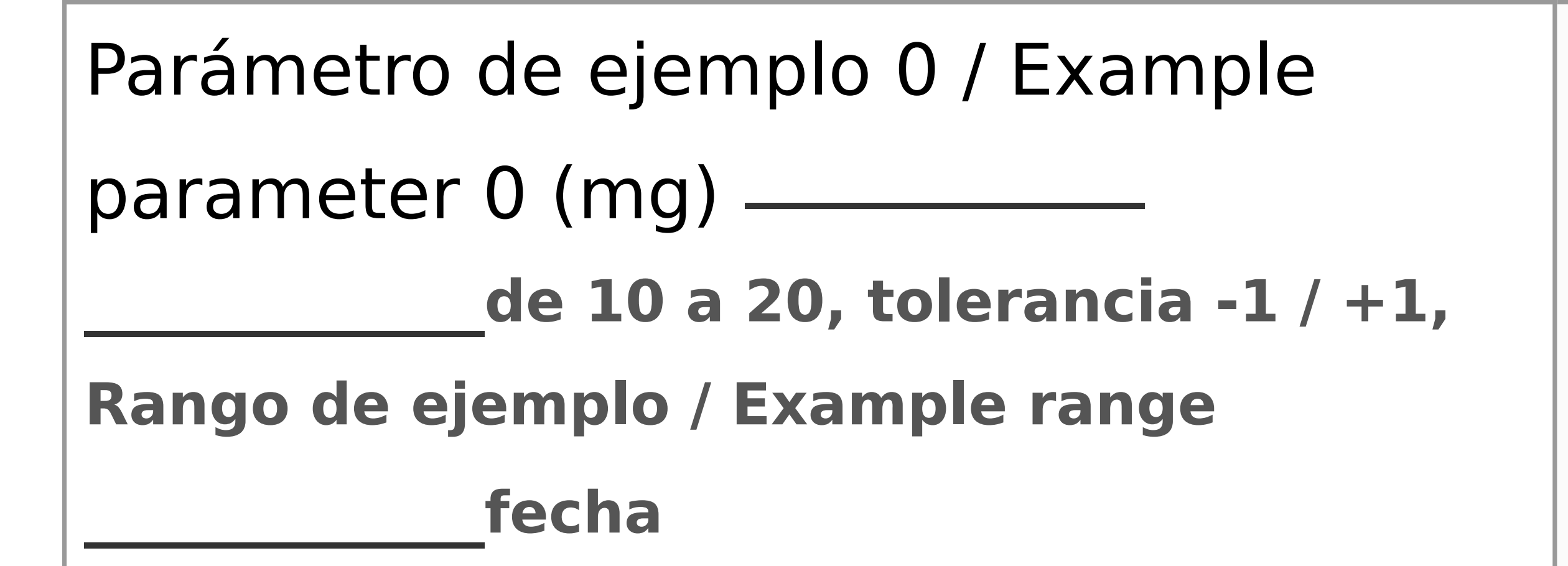
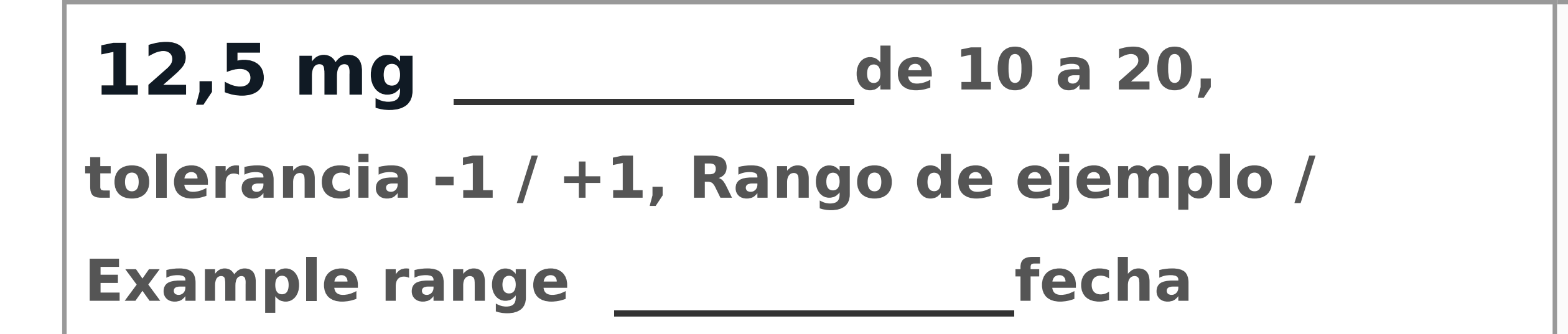
The record for the family MBR shows each parameter with its range and a blank field for the value. The record for a product code also shows the value set for that code in Opcenter, and the date is still entered by hand in both.

The parameter with its range of 10 to 20 and a blank field for the value.
Family MBR
The same parameter with the value 12.5 mg printed.
Product code

Open the complete sample record (PDF)

Records generated by the demo carry “Copia de consulta, no válida para fabricar” (reference copy, not valid for manufacture) on every page.

Want to try it?

Open a complete record generated by ebr2pdf from a sample MBR.

View a sample record

Open the demo to generate the record from one of your own exports, if you already have an access key. The demo is in Spanish.

Would you rather we got in touch?